Azure IoT Digital Twins client library for .NET

James Sullivan
Published Feb 16, 2026
This library provides access to the Azure Digital Twins service for managing twins, models, relationships, etc.
Getting started
The complete Microsoft Azure SDK can be downloaded from the Microsoft Azure Downloads Page and ships with support for building deployment packages, integrating with tooling, rich command line tooling, and more.
For the best development experience, developers should use the official Microsoft NuGet packages for libraries. NuGet packages are regularly updated with new functionality and hotfixes.
Prerequisites
- Microsoft Azure Subscription: To call Microsoft Azure services, you need to create an Azure subscription
- Azure Digital Twins instance: In order to use the Azure Digital Twins SDK, you need to first create a Digital Twins instance using one of many options:
Install the package
Install the Azure Digital Twins client library for .NET with NuGet:
Install-Package Azure.DigitalTwins.CoreAuthenticate the Client
In order to interact with the Azure Digital Twins service, you will need to create an instance of a TokenCredential class and pass it to the constructor of your DigitalTwinsClient.
Key concepts
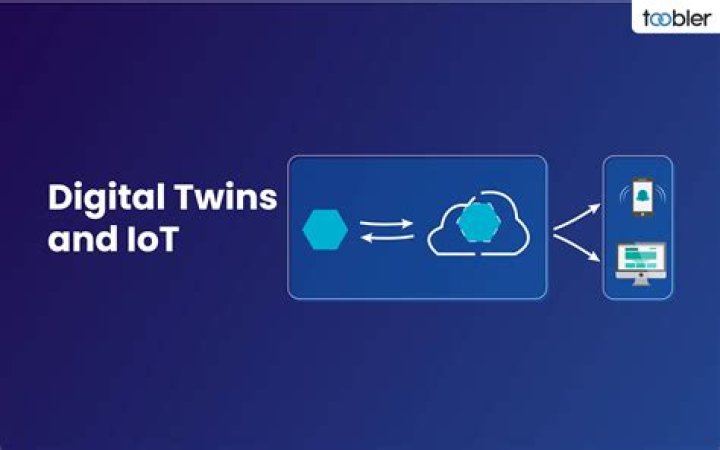
Azure Digital Twins Preview is an Azure IoT service that creates comprehensive models of the physical environment. It can create spatial intelligence graphs to model the relationships and interactions between people, spaces, and devices.
You can learn more about Azure Digital Twins by visiting Azure Digital Twins Documentation
Examples
You can familiarize yourself with different APIs using samples for Digital Twins.
Source code folder structure
/src
The Digital Twins public client DigitalTwinsClient and the additional configuration options that can be sent to the Digital Twins service DigitalTwinsClientOptions.
/src/swagger
The swagger file that defines the structure of the REST APIs used by the Digital Twins client library.
To generate the code, run the powershell script present here.
/src/Generated
The code generated by autorest using the swagger file defined under /src/swagger.
/src/Customized
The customzied code written to override the following behavior of auto-generated code:
- Rename some of the generated types, eg. GetModelsOptions
- Declare some of the generated types as internal, instead of the autorest default of public.
- Declare some methods to accept input parameters as strings instead of objects.
- Declare some methods to return the response as strings instead of objects.
/src/Models
Constants useful for use with the Digital Twins client.
/src/Properties
Assembly properties required for running unit tests against signed assemblies in Debug mode.
/src/Serialization
Serialization helpers provided to help serialize/deserialize commonly used types within the Digital Twins service.
Any time the client library code is updated, you will need to run the following scripts
Troubleshooting
All Azure Digital Twins service operations will throw a RequestFailedException on failure with helpful ErrorCodes.
For example, if you use the GetModelAsync operation and the model you are looking for doesn't exist, you can catch that specific HttpStatusCode to decide the operation that follows in that case.
try
{ Response<ModelData> sampleModel = await DigitalTwinsClient.GetModelAsync(sampleModelId).ConfigureAwait(false);
}
catch (RequestFailedException ex) when (ex.Status == (int)HttpStatusCode.NotFound)
{ // Model does not exist. // Create the model
}
Next steps
Get started with our Azure Digital Twins samples
Contributing
This project welcomes contributions and suggestions. Most contributions require you to agree to a Contributor License Agreement (CLA) declaring that you have the right to, and actually do, grant us the rights to use your contribution. For details, visit
When you submit a pull request, a CLA-bot will automatically determine whether you need to provide a CLA and decorate the PR appropriately (e.g., label, comment). Simply follow the instructions provided by the bot. You will only need to do this once across all repos using our CLA.
This project has adopted the Microsoft Open Source Code of Conduct. For more information see the Code of Conduct FAQ or contact with any additional questions or comments.